
Name-Based Case Searches
The county's Online Case Search routing page is the starting point for a name search. Muskegon County runs no separate branded case database. The page sends the public to the right MiCOURT view instead. Pick the court first when you can. Then type the party's legal spelling. A participant name must begin with the value you enter, so a full last name plus first name keeps a Muskegon County case search tight.
Hold the filters back until a common name turns up too many hits. Court, case year, category, and filing-date range help separate public results. A familiar-looking name alone is not a match. Check the court, case number, caption, and filing information before opening the case history.
- Open the Muskegon County routing page and select Circuit, District, or Probate/Juvenile based on the known type of case.
- Select Continue to accept the MiCOURT public-use terms. The public result is informational and does not replace the official court record.
- Enter the full last name, then add the first name. Use middle name or birth year only when the interface shows those filters and the name needs narrowing.
- Add a case year, type, category, or filing-date range for a broad result set. Do not assume every filter is exposed in every public view.
- Open the matching public result and read the case history in chronological order, paying close attention to the newest entry or setting.
- Use the responsible clerk when a filed document, certified copy, or confirmation beyond the public case history is needed.
MiCOURT's official materials describe the available search fields and controls. Required status reflects the documented principal search inputs where the public interface displays no required marker.
| Field label | Type | Required | Options / format notes |
|---|---|---|---|
| Last Name | Text | One of name inputs | Participant name begins with the typed value; use the party's legal spelling. |
| First Name | Text | Optional with last name | Participant first name begins with the typed value. |
| Middle Name | Text | Optional | Use to narrow common-name results when the interface shows it. |
| Birth Year | Numeric/text | Optional | The public use-case screen identifies Birth Year; do not assume a full date is required. |
| Case Number | Text or year/number/type components | One principal search path | The API can match a fragment; nonpublic TrueFiling cases require the entire number. |
| Case Year | Four-digit text/filter | Optional | Four-digit calendar-year filter. |
| Case Type | Dropdown/filter | Optional | Values vary by court; API examples use court-specific codes. |
| Case Type Category | Dropdown/filter | Optional | Adoption, appeals, civil, criminal, domestic, juvenile, non-traffic, probate, or traffic. |
| Case Type Subcategory | Dropdown/filter | Optional | Court-specific subcategories. |
| Case Status | Dropdown/filter | Optional | API values include ADR, closed, deferred, disposed, garnishment, mediation, and open. |
| Public Status | Dropdown/filter | Optional | Public, suppressed, or all in API documentation; public views limit results to public access. |
| Judge / Jurist | Dropdown or numeric filter | Optional | Court-specific judge association; API documentation uses professional number. |
| Filing Date From | Date | Optional | YYYY-MM-DD in the API; a public view may use a date picker. |
| Filing Date To | Date | Optional | Use with Filing Date From to narrow the range. |
| Date of Birth | Date | Restricted/optional | An API filter exists, but protected-information and public-status limits apply. |
| Petition Status | Dropdown/filter | Optional | Juvenile only: open or closed in API documentation; public juvenile access remains limited. |
| Balance / Amount Due | Decimal filter | Optional | The API can filter a balance greater than a value; a public visitor may not see it. |
| Search button | Button | Action | The use-case documentation shows Search for name and case-number panels. |
| Show / Clear filters | Buttons | Action | The official use-case image describes a Filter section with Show and Clear controls. |
| Select Another Court | Button | Action | Visible in the official MiCOURT public-search use case when a view is scoped to one court. |
| Continue | Button | Required first visit | Accepts the public-search terms of service. |
Muskegon Case Search Court Scopes
Muskegon County splits its docket search into three MiCOURT scopes. Pick C14 for 14th Circuit Court. Choose D60 for 60th District Court. Use P61 for Probate and Juvenile. The scope follows the court handling the case, not the county name. A misdemeanor stays in D60. A felony may open there and move to C14 after bindover. Estates and guardianships sit in P61.
When the court code is a guess, the county's Online Case Search routing page gathers all three choices in one spot. It routes you to the right scope. It does not merge the cases into one Muskegon County database.
The official Muskegon County case-search page sends each lookup to the proper court.
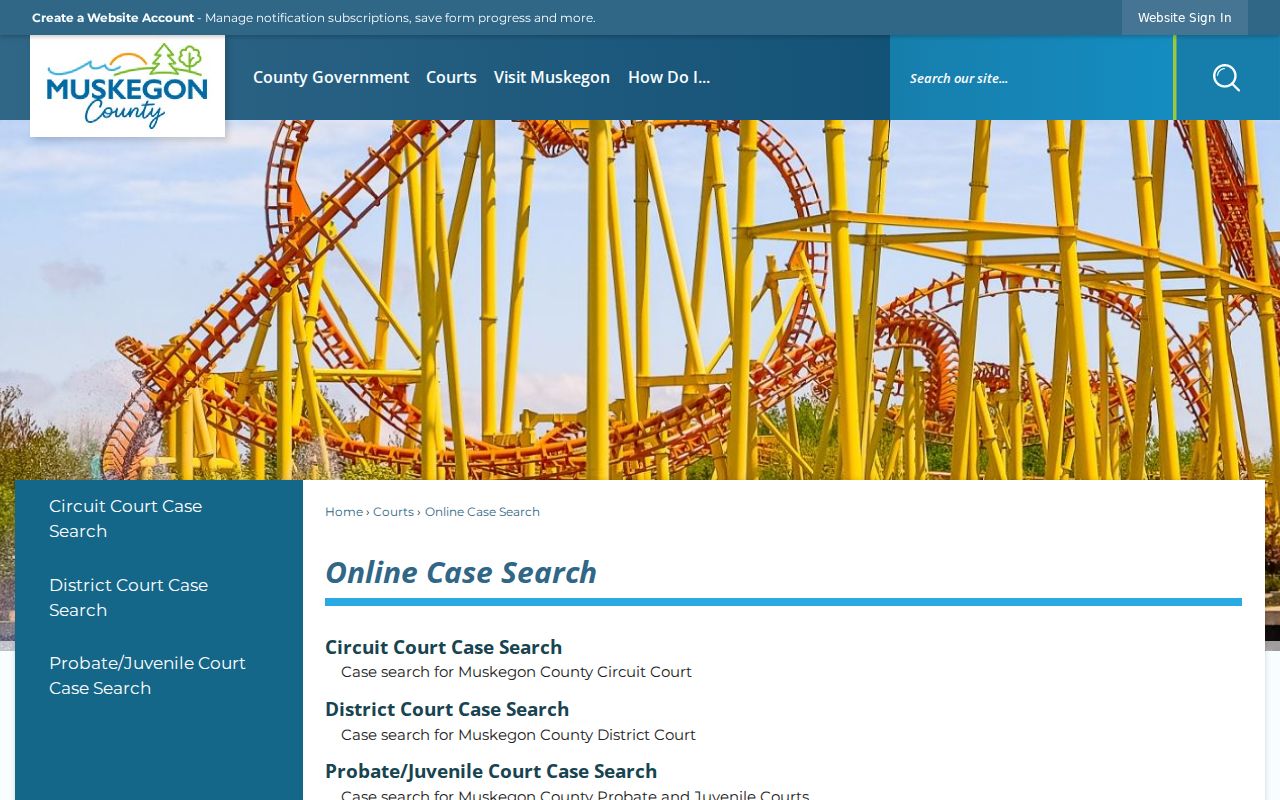
Picking C14, D60, or P61 before a Muskegon case search limits the query to the court most likely to hold the public case history. That choice cuts noise from other courts.
Case Number Searches
A case number is often the fastest route into a Muskegon County docket search. County materials use a circuit example like 2025-005353-CZ. The first four digits are the year. The middle digits form the sequential identifier. The ending letters are the type suffix. No single county codebook lists every suffix, so match the suffix to the court's own result instead of guessing.
Enter the number in the form the selected MiCOURT view accepts. The public search documentation allows case-number searches and describes fragment matching in its API material. A TrueFiling search for a nonpublic case, though, needs the entire number. When a number returns no public result, confirm the court scope and case year first. Only then draw a conclusion.
Muskegon Case Search Filters
Filters help most after a Muskegon County search is scoped to C14, D60, or P61. Case year and filing dates trim a crowded list. Case type, type category, subtype, judge, and case status add limits where the interface offers them. The API documentation gives date fields a year-month-day format. The live public application may use its own controls. Start narrow to test a known fact. Then widen the query if the case you expect does not appear.
A filing-date range can separate similarly named cases. It cannot prove a case outside the range never existed. The public portal has access and category limits. For a Muskegon County record not found online, the relevant clerk is the fallback. The D60 MiCOURT scope shows a court-specific search view for Muskegon County District Court cases.
A court-scoped view makes it harder to mistake a result from the wrong Muskegon County court for the case you want. That guard matters more as result lists grow.
Muskegon Case Search Status Labels
In a Muskegon County case search, case status and public status answer different questions. Case status tracks the workflow. It covers open, closed, deferred, disposed, garnishment, mediation, or ADR. Public status concerns access. A record can hold a case status. Yet fields or whole cases can stay hidden from a public visitor.
- Case history / register of actions
- The clerk's chronological list of filings, court-issued items, returns, and major case events.
- Disposition
- The docketed resolution or current final action in a case.
- Deferred status
- A status in which entry of judgment or final action is postponed under a program or order.
- Suppressed or nonpublic
- A public-access category that can withhold a record from ordinary inspection.
A Muskegon County result may list the case number, caption, court, and status. A protected field may still be withheld. So may an entire restricted case. Public status therefore proves nothing about the merits or outcome of a matter.
Case Search Results Explained
A Muskegon County search in MiCOURT returns basic public case information first. Pick a result and the case history opens. Michigan Court Rule 8.119 requires the clerk to keep that history chronological. It must also stay searchable by case number or party name. It lists the case number and filing date. Parties and attorneys of record appear too. So does the nature of each filed or court-issued item. Every filing, order, judgment, opinion, and notice carries its own date.
How much you see depends on the court. The case's public status and the selected view also matter. Read the result as an index to the court file. A public case history can point to a next hearing or a register entry. It may not show every document image. The Muskegon County fields below describe what may appear. Public access and the selected view have to allow it. Treat the docket as a map, not the whole file.
| Case number | The local identifier, such as a year, sequence, and type-suffix format for a circuit case. |
|---|---|
| Filing date | The date the initiating document or a later filing was received. |
| Court | C14, D60, P61, or another court code. |
| Judge | The assigned judge or jurist. |
| Style / caption | The formal case title, usually naming the parties or the State and defendant. |
| Status | A case condition such as open, closed, disposed, deferred, garnishment, mediation, or a public-status category. |
| Parties | Plaintiff and defendant, petitioner and respondent, or State and defendant, depending on the case. |
| Attorneys | Attorneys of record; a filed document or case detail can include bar numbers. |
| Charge or cause | A criminal offense and statute, or a civil cause of action and case type. |
| Bond | Amount and status for a criminal case when public. |
| Register entry | A dated short description of a filing, issued order, hearing, or return. |
| Setting | Date, time, court, judge, room, and calendar label. |
| Disposition | The final result or current outcome. |
| Financial balance | Court costs, fines, restitution, bond, judgment amount, or balance when exposed. |
| Cross-reference | A linked companion, transferred, remanded, or appealed case when shown. |
| Public status | Public, nonpublic, suppressed, sealed, or restricted access status. |
Muskegon Case Search Document Limits
A free Muskegon County case history is not the same as a complete document file. MiCOURT public search can show the basic history. It may not include every image or filed document. The clerk keeps the case file itself. Want a public document the view does not reach? Contact the court that maintains the record and give the full case name, case number, document name, and approximate filing date.
The MiCOURT API reference covers filters, result counts, pagination, sorting, case docket IDs, and case tracking IDs. Those are developer details. They create no public right to bulk data. Nor do they hand an ordinary visitor a developer account. The statewide notice bars bulk downloads and excessive automated requests. The official MiCOURT Case Search API reference documents how public search behaves and which search concepts it uses.
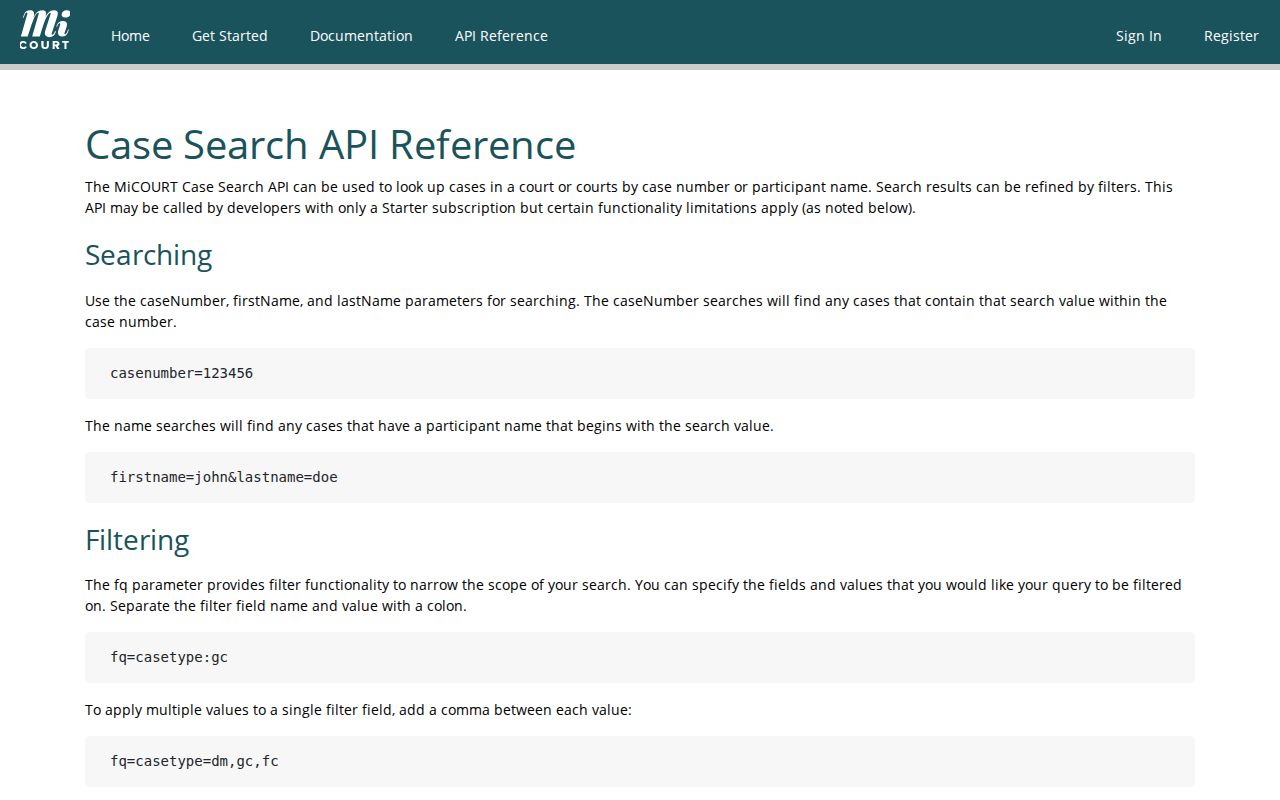
The reference explains the search concepts. Actual Muskegon County records requests still go to the court clerk who holds the file.
Two Ways to Search: County and State
Muskegon County's routing page and MiCOURT work together rather than compete as separate databases. The county page routes the public to the state portal. It offers C14, D60, and P61 court-specific views. Start with the county route. It names the right Muskegon County court. Then run the name or number search inside the selected MiCOURT scope. Open the available public case history.
The distinction matters when a case changes courts. A felony can begin in D60 and move to C14 after bindover. Probate matters belong in P61. Search the wrong scope and you may get nothing. Another Muskegon County court may hold the related public record. That empty result is a scope problem, not a missing docket.
| Muskegon County routing page | MiCOURT public search |
|---|---|
| Directs a user to the appropriate court link. | Runs the public case-information query for the selected court. |
| Helps distinguish C14, D60, and P61. | Provides court-scoped name and case-number search paths. |
| Best when the court is not yet known. | Best when the court, party name, or case number is known. |
| Does not create a separate county database. | Shows only public information available for the selected view. |
A case history lists a hearing. Settings change, so compare the latest one with the court notice through the Muskegon County court schedule.
Muskegon Case Search Filing Access
MiFILE through TrueFiling is Michigan's electronic filing system. It is not the ordinary Muskegon County public docket. Attorneys and eligible filers use it. The available-courts material lists the Muskegon 60th District Court. Registering an account asks for contact information, a password, a court selection, and role information. The system can identify an attorney, a filer for an attorney, a court reporter or recorder, a self-represented filer, or another filer role.
A filer search needs a selected court. Add a case number or a case-name fragment, per TrueFiling's guide. A nonpublic case requires the entire case number. A filer's case history can show the submission date and time, court, case number, filing name and type, filer, submitter, and status. Case Details exposes only filings the user has permission to see.
Muskegon Case Search Old Cases
An empty result for an older case proves nothing. Some courts apply a seven-year criminal-sentence filter. MiCOURT flags those courts in the court list. For older convictions, MiCOURT sends you to the court. Before falling back on a clerk, check the correct court, spelling, case year, and case type. A search can also miss a case that is restricted. It can miss one that moved from D60 to C14 after bindover too.
Older Circuit files may sit off site. The county says records outside its on-site ranges can require at least five days for delivery. The Muskegon County Requesting Files page describes that off-site process. That delay is a records-access issue. It is not proof the Muskegon County case never existed.
Search the correct court and case year first. Then ask the responsible clerk about an older file or an unavailable public result.
Which Cases Stay Restricted
Public Muskegon County case categories can show a case number, parties or case title, filing date, court, judge, status, case history, and next hearing, when the selected court and portal make those details public. Access limits still matter. Juvenile delinquency records are restricted. So are child-protective, juvenile-guardianship, and many family-sensitive records. The statewide MiCOURT notice also excludes adoption, mental illness, name changes, personal protection orders, certain foster-care matters, and wills.
Protected identifiers should never appear in public documents. That includes full birth dates, Social Security numbers, driver's-license or state-ID numbers, passport numbers, and financial-account numbers. A sealed record is withheld under a statute, rule, or order. Under MCR 8.119, public case records may be inspected and copied unless access is restricted by law, rule, or qualifying order.
Public search has terms and excluded categories. The statewide MiCOURT public case-search notice spells them out.
That notice treats a Muskegon County docket search as a window onto what the law allows the public to see. It is not a promise of every file.
Muskegon Case Search Restriction Checks
A Muskegon County query that comes back empty is not the end of the road. Start with the basics. Try the other likely court scope. Check the spelling of the name in the case too. If the docket still shows nothing, think about public-status restrictions, a juvenile or excluded category, the seven-year criminal filter, and older files stored off-site. A sealed matter can show up two ways. It may return no public result at all. Or it may come back as a suppressed result. A public calendar can flag a restricted entry as Non-Public. It gives away no details.
An empty docket does not mean the case was dismissed. A party may still reach a nonpublic file that a general requester cannot. So may someone else the law authorizes. Michigan's MC 97r form lets a person ask to redact protected personal information in their own case. Broader privacy requests go through a separate court process. Ask the court handling the Muskegon County case which form and access rule applies.
Muskegon Case Search Clerk Options
The public history is one thing; the full case record is another. When you find a Muskegon County case but need a document, go to the clerk who keeps that court's docket and filings. That applies to the complete court file too. Muskegon County Clerk, Circuit Court Records, holds the 14th Circuit files. Those cover civil, criminal, domestic, custody, and business-court matters. The District Court clerk keeps the countywide D60 history and its files. The 61st Probate Court register holds probate records. Do not route court records through county FOIA. The county sends those requests to the proper court clerk instead.
The Circuit Court Records page spells out what a request should include: the full case name, the case number, the document name, the approximate filing date, and whether you want a plain or certified copy. Circuit Court Records can be reached at 231-724-6251. Inspecting a public case history is free under the access rule. Copies and certification may carry court charges.